1. Go to Setup -> System Settings -> MISC tab (or Options tab in the new version).
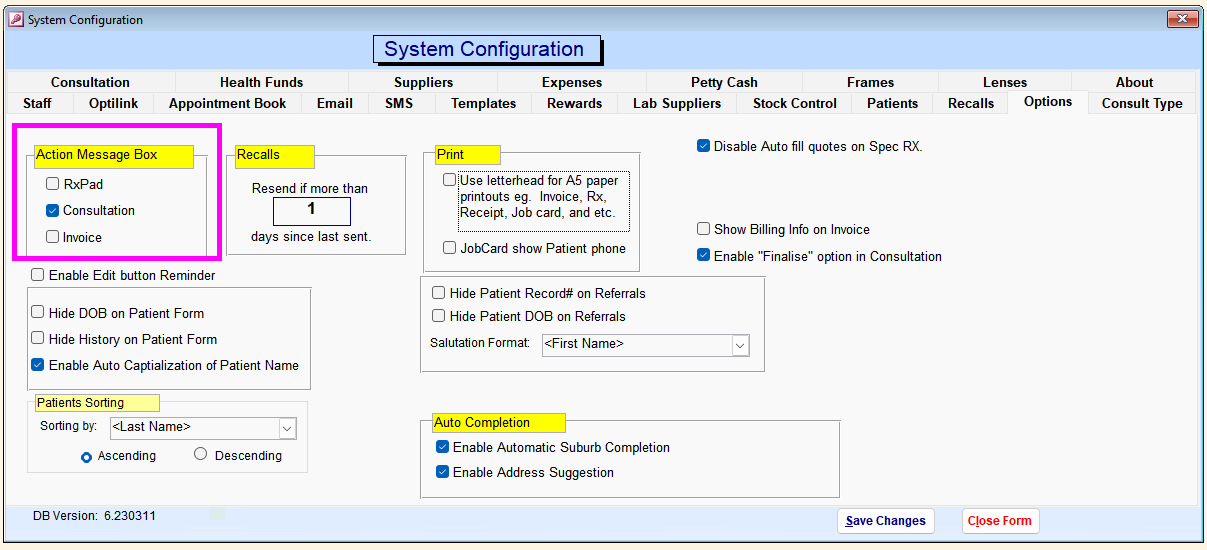
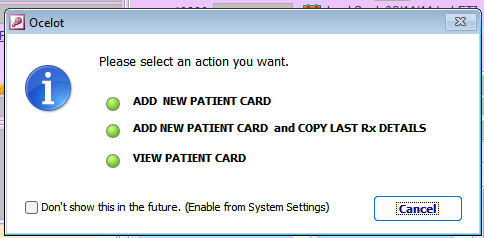
2. Tick/untick the area you want the action message show/hide when you open that area.

Modified on: Fri, 2 Oct, 2026 at 9:55 AM
1. Go to Setup -> System Settings -> MISC tab (or Options tab in the new version).
2. Tick/untick the area you want the action message show/hide when you open that area.
Did you find it helpful? Yes No
Send feedback