In MS Edge.
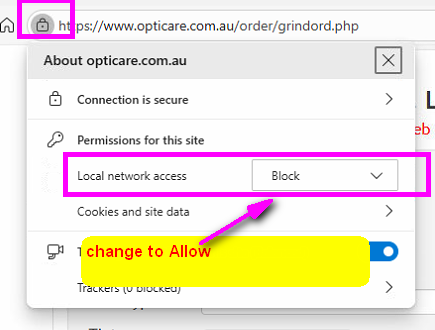
Alternatively
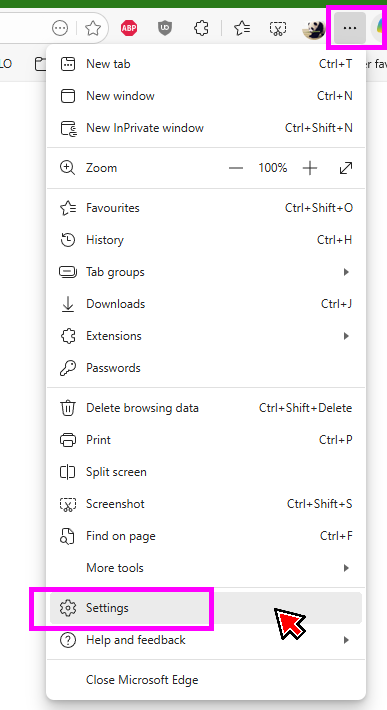
1. Go to Settings
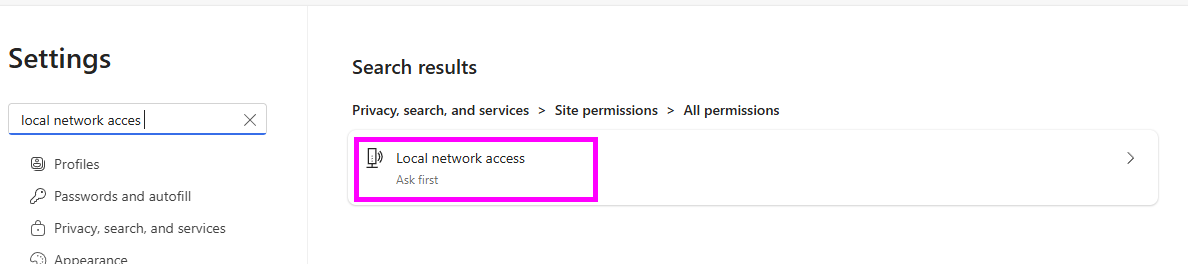
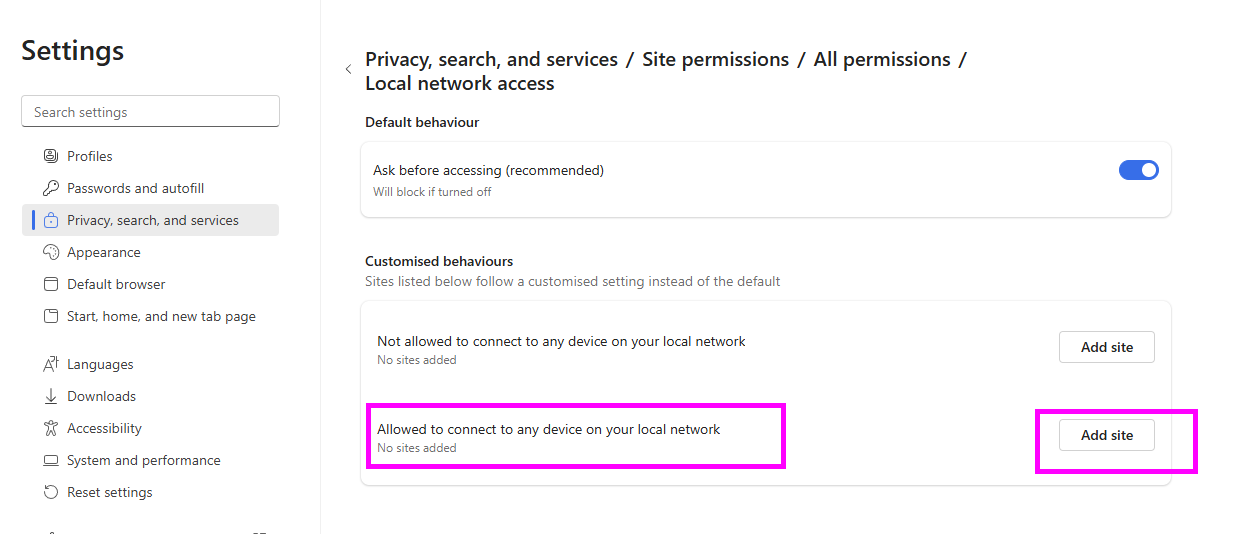
2. search for Local network acces. then Click the link
3. under Allowed to connection to any device on your local network section click Add Site button.
4. type opticare.com.au then click Add button.
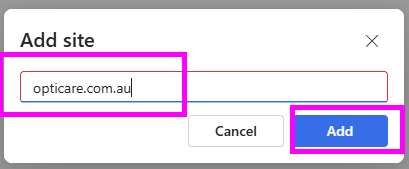
5. close and restart all MS Edge.
In Chrome
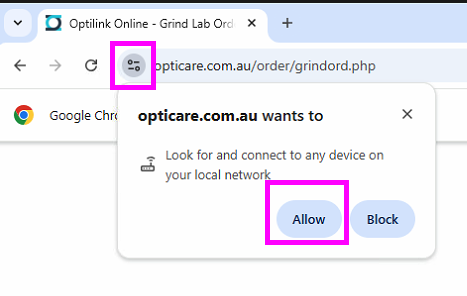
Click Allow when you click the Trace button the first time.
Alternatively
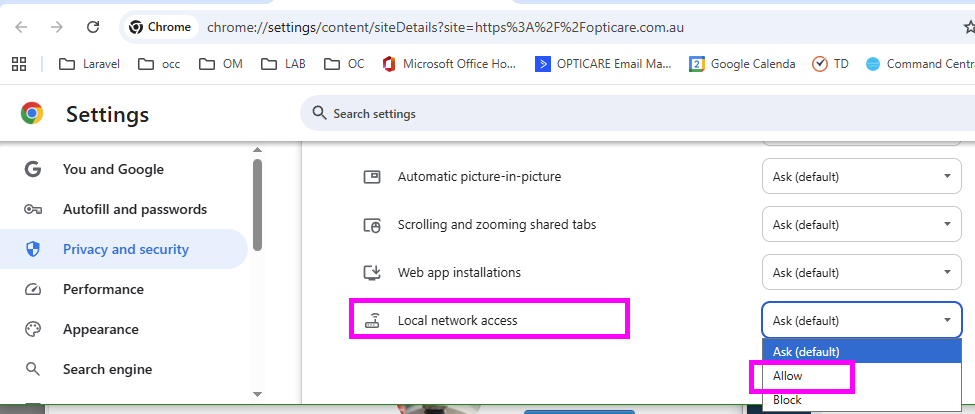
1. Go to Site Settings.
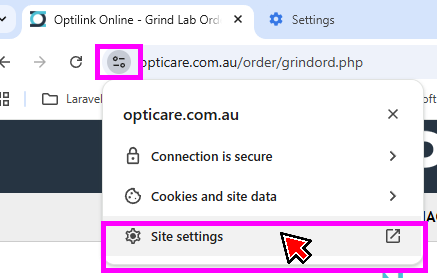
2. Scroll to the bottom and select Allow for Local network access.