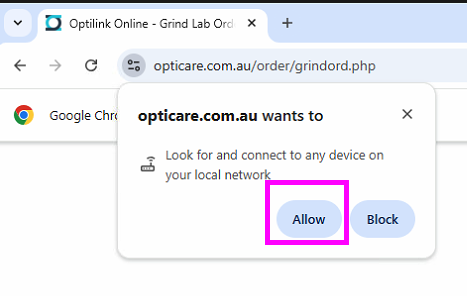
The Issue
On some of the MS Edge browser (after an update from MS) will block Local Network access for alll website.
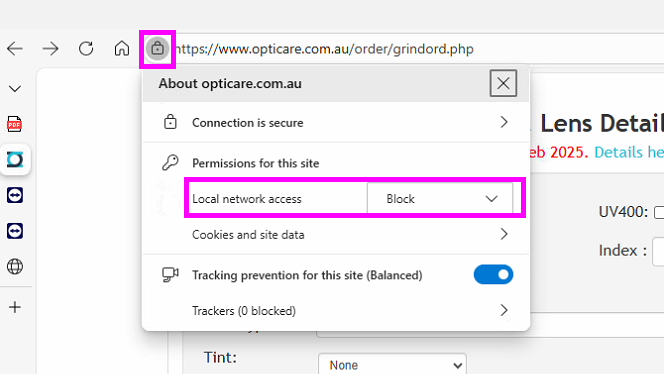
The Fix
Change it to Allow. Then restart MS Edger browser.
The Tech Notes
In the Developer Tool -> Network view an error message similar to this will show.
Access to XMLHttpRequest at 'http://127.0.0.1:22144/?a=t&t=17654126966921765412696692' from origin 'https://www.opticare.com.au' has been blocked by CORS policy: Permission was denied for this request to access the `unknown` address space.
For Chrome
please choose Allow when the message pops up.